【AI×設計書】AIで要件定義書・機能仕様書を書く|プロンプト設計とレビューフローの実践

チャットに「注文機能の要件定義書を書いて」とだけ頼むと、応答時間や画面項目まで埋めた文章を返すことがあります。確認しないまま実装の前提にすると、合意していない数値が仕様になります。
この記事では、要件定義書と機能仕 ...
【AI×PHP】CursorでLaravel開発を加速する|ルール設定・コンテキスト設計・実践テクニック

注文を保存する store を Cursor の Agent に頼むと、マイグレーションに無いカラムや、コントローラ直書きのバリデーションを出すことがあります。ルールファイルを置いても、適用条件が違うと注文とは無関係なチャット ...
【AI×PHP】GitHub CopilotをPHP開発に活用する|コード補完からリファクタまでの実践ガイド

PHP を書いているとき、GitHub Copilot の補完が型のない配列や、いまのコードと合わない書き方を出すことはあります。チャットに「このクラスをきれいにして」とだけ頼むと、戻り値の単位まで変わってしまうこともあります ...
【MCP】AIに「10営業日後」を聞くと、なぜ1日ずれるのか|Thousand APIで確実に計算する
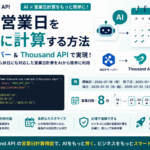
AI エージェントやチャットに「納期は何日か」「返信期限の 10 営業日後はいつか」と聞いていませんか。カレンダー計算に見える問いでも、モデルは祝日一覧や起算(カウント開始日)の仕様を手元に持たないまま推論します。その結果、1 ...
MCPサーバーのレート制限とコスト管理|Lambda実行回数をどう制御しているか

MCP(Model Context Protocol)サーバーを Lambda で動かすと、エージェントがツールを連続呼び出しするたびに関数が起動します。人間が叩く REST API と違い、「試しに 10 回」「エラーだとも ...
Thousand APIのAPIキー認証をどう設計したか|ハッシュ化・有効期限・失効処理
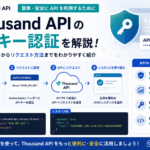
MCP や SaaS の API を公開すると、クライアントは x-api-key のような共有シークレットでリクエストを送ります。キーを DynamoDB に平文のまま保存すると、DB 漏えい時に全キーが使えなくなります。失 ...
【MySQL】トランザクションの分離レベルを理解する|READ COMMITTEDとREPEATABLE READの違い

同じトランザクション内で SELECT を2回打ったとき、結果が変わらないことを期待していませんか。MySQL の InnoDB では、トランザクション分離レベルによって、その期待が満たされるかどうかが変わります。
【MySQL】N+1問題の検出と解決方法|Laravel Eloquentでの実例とEXPLAINでの確認
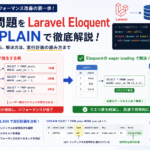
一覧画面が遅い、リクエストあたりの SQL が何十本もある、といった症状の裏に N+1 問題 が隠れていることがあります。Laravel の Eloquent では、リレーションをプロパティとして触ると、そのタイミングで SQ ...
【AWS】RDS(MySQL)のバックアップとリストア戦略|スナップショット・自動バックアップの実務設計
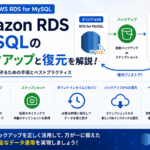
RDS for MySQL を本番で動かしていると、「バックアップは取っているつもり」でも、いざ障害や誤削除が起きたときに次の判断で止まりがちです。
自動バックアップと手動スナップショット、どちらを使うべきか【AWS】CloudWatch Logsで本番障害を追う|ログクエリ(Logs Insights)の実践例

本番で障害が出たとき、まず CloudWatch Logs のコンソールでログストリームを開き、エラー文字列を目で追っていませんか。ログ量が多いとスクロールが追いつかず、「いつから増えたか」「どのリクエスト ID か」を掴むま ...